
This week I finally added a map to the game so that players can find their way around more easily. Getting a bit lost was, after all, the number one feedback from playtests. 😅
Adding a game map was surprisingly easier than I thought it would be, but after already having added the compass, I had most essential systems in place and just needed a different way to display it.
The visuals are still a work in progress, of course, but they do their job.
To make the map, I took a top-down orthographic screenshot of the game level and then stylized it offline before importing it again into the engine to use for the map widget.
So let’s have a look.
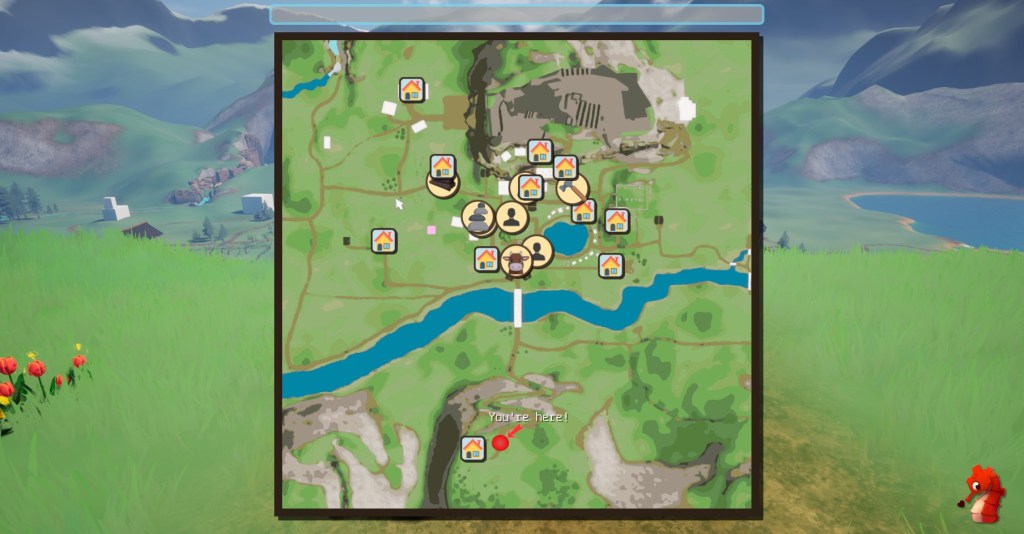
You can see we have different markers for different things in the world. The houses represent buildings of interest, such as shops or the homes of villagers. The round icons represent villagers themselves, so they are easy to find.

And where you are is clearly indicated as well 😁 I liked the idea of using a ‘You’re here’ style marker, as you’d find, for example, on hiking trail signs.
When hovering over certain map markers, you can get extra information.

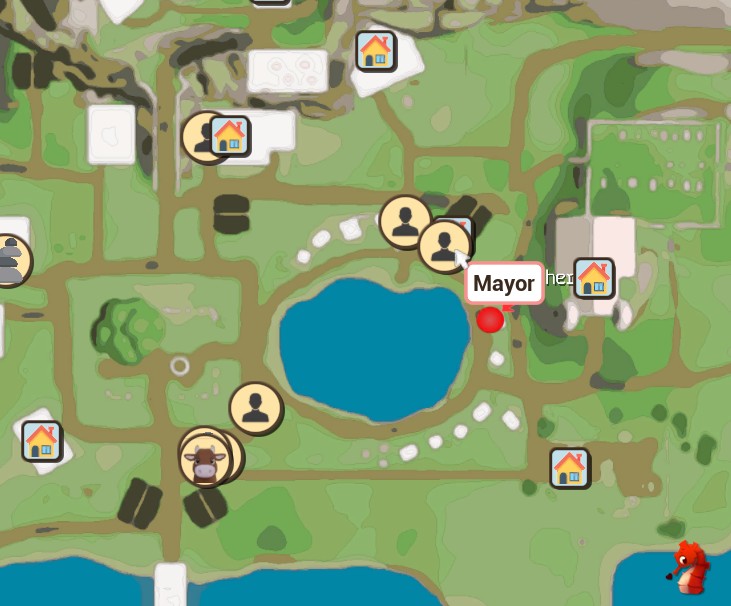
For example, for villager icons, it displays their names once you have met them, and if not, it will obfuscate their names, making it easy to see if you missed introducing yourself to someone.

And places can show their name as well as some extra information as opening times for shops.

And of course the map also supports quest markers, otherwise it wouldn’t be a good map would it 😄😄.

I think that covers about the basic functions a game map has to have. 😁 I hope to see you next time for another neat new game feature! Bye! 👋🌈
 SneakySeahorseGames
Leave a comment. (Email and Name are not required to be filled in)